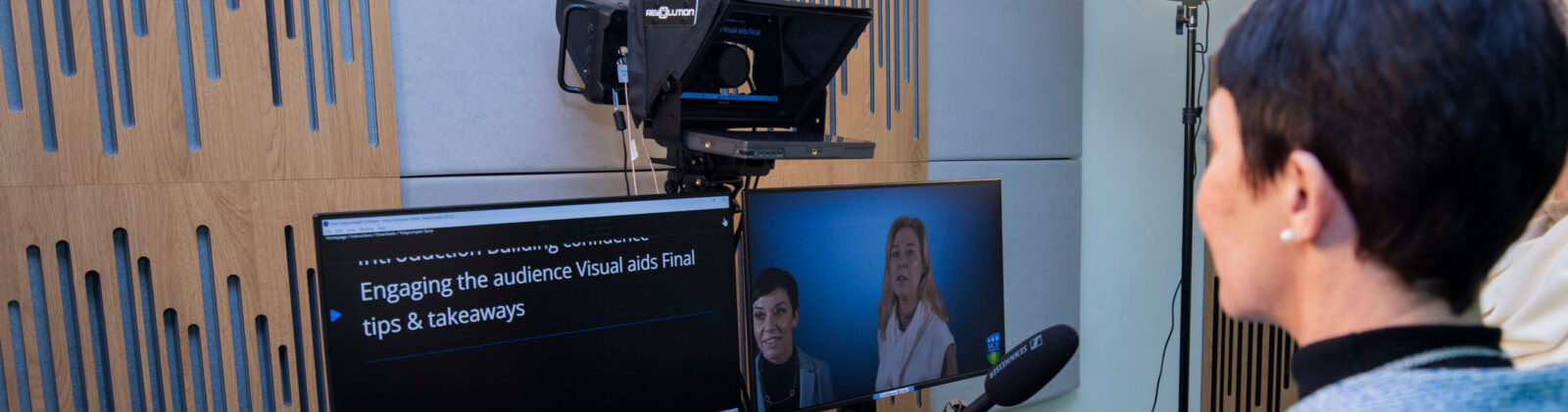
Developed by the Business eLearning Team, the One Button Studio is a purpose-built facility designed to make video and audio production simple, efficient and accessible for faculty, staff and students. The One Button Studio enables users to create professional-quality video content with minimal technical expertise. From module introductions and research presentations to language practice and green screen content, the studio supports a wide range of teaching, learning and communication needs across the College.
The launch reflects a strategic priority of UCD College of Business to invest in physical and digital infrastructure and its commitment to innovation in education and digital capability.
Ease of use is at the heart of the One Button Studio. With a streamlined setup designed to remove technical barriers, users can focus on delivering their message rather than managing equipment or complex workflows. The studio is designed to deliver professional results quickly and efficiently, making high-quality video production more accessible than ever.
The One Button Studio is a shared resource available to faculty, staff and students. Faculty can use the studio to record course content, present online at conferences or speak about their research, while students are encouraged to create their own video materials as part of their learning experience, including presentations, podcasts and case competition submissions. The studio supports both academic delivery and skills development, helping users build confidence in digital communication and content creation.
Faculty and Staff Guide: Room Booking and Orientation
1. How to Book the Room
Similar to the standard meeting room procedure, you can reserve the room by emailing Services directly and requesting access to S125.
Who to Contact: Blackrock Estate Services
Email: services.blackrock@ucd.ie
2. First-Time Users (Orientation)
If this is your first time using the room, you should request an orientation session. The team will organise a staff member to visit and help you get started with the equipment.
Who to Contact: Business eLearning Team
Email: business.elearning@ucd.ie
Student Guide to Room Booking and Orientation
1. How to Book the Room
Similar to the Heaney rooms booking procedure students can book the studio on the URooms website room reference S125.
2. First-Time Users (Orientation)
If this is your first time using the room, you should request an orientation session. The team will organise a staff member to visit and help you get started with the equipment.
Who to Contact: Business eLearning Team
Email: business.elearning@ucd.ie